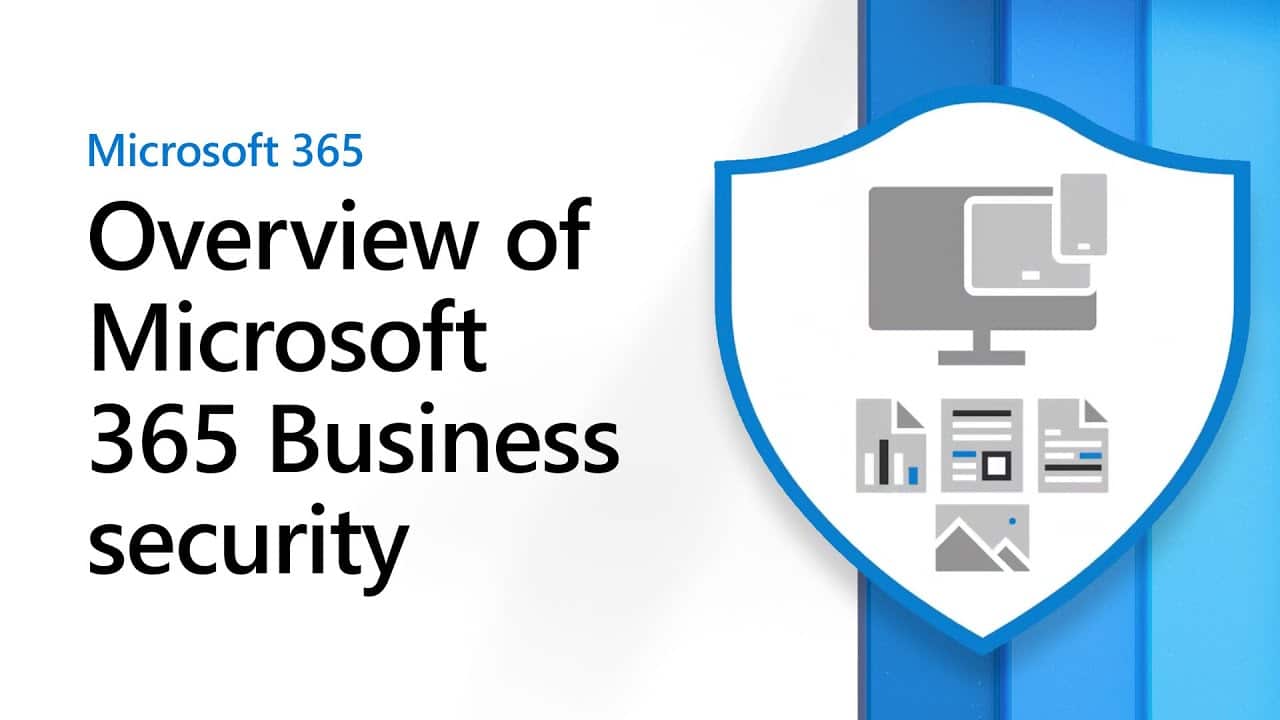
Cyber threats are increasing at an alarming rate. Businesses face heightened risks from ransomware, phishing attacks, and data breaches. Organizations therefore need to prioritize... Security with Microsoft 365 To protect sensitive data, comply with regulations, and maintain operational continuity.
One of the most effective ways to strengthen cybersecurity is by leveraging the security capabilities of Microsoft 365. This comprehensive security suite includes features such as advanced threat protection, identity and access management, and data loss prevention, making it an ideal solution for businesses looking to enhance their security measures.
This guide explores how to enhance business security using Microsoft 365, covering key features, best practices, and implementation strategies to protect your organization from cyber threats.
Why choose Microsoft 365 security to protect your business?

Microsoft 365 is more than just a productivity suite; it also includes enterprise-level security to protect businesses from evolving cyber threats. Key benefits include:
✅ Advanced threat protection – Detect and prevent malware, phishing, and ransomware.
✅ Data Loss Prevention (DLP) – Protects important data from unauthorized access and accidental sharing.
✅ Identity and access management. – Enforce strict identity verification measures and access control policies.
✅ Cloud security and compliance. – Complies with safety standards such as GDPR, HIPAA, and ISO 27001.
✅ Real-time security monitoring – Use AI to analyze threats and respond to security incidents immediately.
These features help businesses effectively prevent cyberattacks, protect critical data, and maintain business continuity in the digital age.
The main security features in Security with Microsoft 365.
Microsoft 365 offers a variety of security tools to protect businesses from cyber threats. Here are some key features that help enhance your organization's protection.
- Microsoft Defender for Office 365 – Advanced threat protection.
Microsoft Defender for Office 365 provides real-time threat protection from:
- Phishing emails that attempt to steal credentials.
- A ransomware attack that encrypts data.
- A new type of malware that can bypass traditional antivirus systems.
🔹 How to use:
✅ Activate Safe Attachments To check email attachments for malware.
✅ Activate Safe Links To prevent employees from clicking on malicious links.
✅ Use Real-time reports To monitor security incidents and respond quickly.
- Multi-Step Authentication (MFA) & Conditional Access – Identity Protection
Hacked passwords are a major cause of cyberattacks. Microsoft 365 therefore enhances security by using... Multi-factor authentication (MFA) and Conditional Access Policy
✅ MFA – Requires users to verify their identity with a second factor, such as a mobile app, a one-time password, or biometrics.
✅ Conditional Access – Control login access based on location, device, or risk level to ensure that only authorized users can access the data.
🔹 How to use:
- Enable MFA for all employees using... Microsoft Authenticator
- Configure Conditional Access policy to prevent logins from untrusted locations.
- use Passwordless Authentication To reduce the risk of using weak passwords.
- Data Loss Prevention (DLP) & Protection of Important Data
Microsoft 365 comes with a DLP (Data Leakage Prevention) policy that helps prevent the unintentional or unauthorized leakage of sensitive information.
🔹 How it works:
✅ Check emails, files, and cloud storage for sensitive information such as credit card numbers or social security numbers.
✅ Automatically block or encrypt data to prevent unauthorized access.
✅ Helps businesses comply with data security requirements by enforcing strict policies.
🔹 How to use:
- Configure DLP policies to detect and prevent data leaks.
- use Sensitivity Labels in Microsoft Purview Information Protection To classify and protect documents containing sensitive information.
- Train employees to recognize security warning signals when sharing files externally.
- Microsoft Defender for Endpoint – Device Security
Microsoft Defender for Endpoint offers next-generation antivirus and endpoint threat detection to protect all of your business devices from cyber threats.
🔹 Important features:
✅ Behavioral AI detection to identify and prevent new threats.
✅ Automated detection and remediation of attacks to reduce security risks.
✅ Threat analysis dashboard for real-time monitoring and response.
🔹 How to use:
- install Microsoft Defender for Endpoint On all of the organization's computing and mobile devices.
- Activate Automated Security Response To reduce the time it takes to respond to threats.
- Update your security policies regularly to ensure protection covers all devices.
- Cloud storage and compliance in Microsoft OneDrive & SharePoint.
Microsoft 365 provides a secure cloud storage system. OneDrive for Business and SharePoint To ensure that sensitive information is protected from unauthorized access.
🔹 Benefits:
✅ Cloud storage encryption To ensure secure file sharing.
✅ Detecting and recovering files from ransomware. Detecting and recovering files from ransomware.
✅ Version control and file access log. To track document changes
🔹 How to use:
- Set up access control permissions to restrict file sharing.
- Activate Encryption and security policies. In order to comply with regulatory requirements.
- use OneDrive's File Restore feature To recover lost or corrupted files.
Best practices for using Microsoft 365 securely.
To fully protect your business, follow these guidelines:
✅ Regular safety inspections – Review security measures to identify weaknesses.
✅ Employee training and education. - Teach employees about phishing attacks and security practices.
✅ Enable security defaults – Use Microsoft's default security settings to enhance protection.
✅ Follow security alerts - use Microsoft365 Security & Compliance Center To investigate suspicious activity.
✅ Back Up Critical Data – Ensure that off-site backups are in place for emergency recovery.
Real-world example: Microsoft365 in use.
Case Study: A Financial Company Using Microsoft 365 to Protect Against Cyber Threats
A global financial services company faced an increase in cyberattacks due to handling sensitive financial data. They implemented Microsoft365 security solutions with the following results:
🔹 Microsoft Defender for Office 365 – Prevents up to 98% of phishing attacks before the email reaches employees.
🔹 Multi-Factor Authentication (MFA) – Reduced account hacking by 93%.
🔹 Data Loss Prevention (DLP) – Prevents unintentional sharing of confidential financial information.
Through these measures, the company can enhance data security while remaining compliant with stringent financial regulatory requirements.
Conclusion
With increasingly sophisticated cyber threats, businesses need a proactive approach to security. Microsoft 365 offers comprehensive protection through threat prevention tools, identity management, data security, and compliance tools.
Using Microsoft 365 for security enables businesses to:
✔ Protects against cyber attacks and phishing.
✔ Protect your organization's sensitive data.
✔ Complies with global safety requirements.
✔ Enhance operational efficiency with an automated security system.
Looking for an AI-powered security solution? Explore Microsoft's cybersecurity tools here. .
Interested in Microsoft products and services? Send us a message here.
Explore our digital tools
If you are interested in implementing a knowledge management system in your organization, contact SeedKM for more information on enterprise knowledge management systems, or explore other products such as Jarviz for online timekeeping, OPTIMISTIC for workforce management. HRM-Payroll, Veracity for digital document signing, and CloudAccount for online accounting.
Read more articles about knowledge management systems and other management tools at Fusionsol Blog, IP Phone Blog, Chat Framework Blog, and OpenAI Blog.