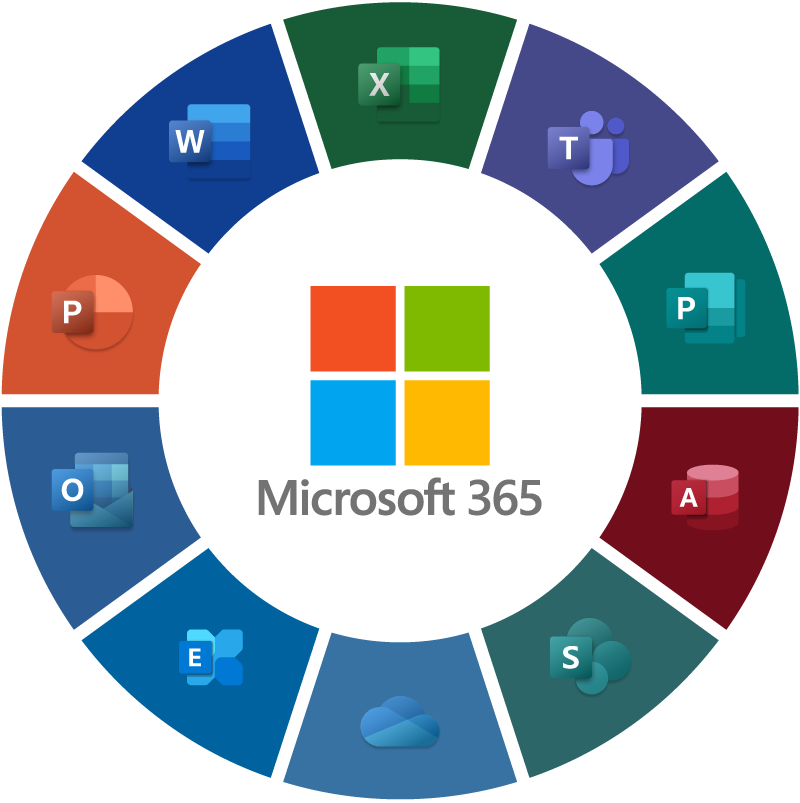

microsoft 365

Microsoft 365

For the supply chain sector, this office suite includes programs like Word, Excel, PowerPoint, and Outlook, accessible anytime, anywhere from your employees via OneDrive's online file system. Your employees can use the system and collaborate on documents as usual, or work while traveling internationally.
With flexible installation options for Office for Business across PCs, Windows and Android tablets, iPads, and most mobile devices, your desktop and mobile devices will always be equipped with the necessary applications to get the job done. Additionally, you can use Sway—an application in Microsoft 365—to create reports, presentations, and more directly from your mobile device, tablet, or web browser.Utilizing specialized tools from M365, such as Power Platform, helps automate internal workflows, enabling paperless service operations and online approvals.Video conferencing via MS Teams saves travel time, improves meeting efficiency, and enhances work productivity.The Outlook email system, equipped with built-in anti-spam and antivirus protection, is also included in the M365 package.

Connect all your applications in one place.

Purchase Microsoft 365 with Fusion Solutions. Receive both a VAT invoice and 24/7 support.

For special discounts on other services not listed here, please ask our staff.

Whether you're working in the office or on the go, you'll have a familiar and excellent suite of applications at your fingertips. These apps are constantly updated with special features and security improvements, allowing you to create, edit, and share data from your PC/Mac, iOS, Android™, or Windows device with anyone in real time.

Use your company name as your business email address to build brand awareness and recognition, and open up markets for your business by easily creating customized marketing materials. Connect better with customers and startups using a variety of communication tools, from email and messaging to social networking and video conferencing.

With 1 TB of storage per user, you'll have plenty of space for all your files. And because your files are stored online, you can share them with others both inside and outside the company, from anywhere you work, and anytime you want. Plus, with HD video support for multiple participants, content sharing, a shared calendar, and team group chat, you'll always be able to collaborate with your team.

You can easily set up users and get started quickly. Access the user-friendly Admin Center from anywhere to manage all your services. Plus, M365 provides 24/7 IT support to ensure your services are updated and launched promptly. This is the best offer on the market.

Microsoft 365 License

M365 is the licensing model designed to replace the traditional licenses for Word, Excel, and PowerPoint that we are so familiar with. Previously, purchasing an enterprise license for one device cost around 1X,XXX THB. Under this new model, however, we have more options. Instead of making an upfront payment of tens of thousands, we can opt to pay just 1,100 THB per year for the standard Office suite—offering significantly greater value.Beyond cost savings, it offers numerous additional features, such as video conferencing, 1 TB of OneDrive cloud storage, and much more, providing us with exciting new tools for our work.

For beginners

For companies starting to use Office 365, the primary objective is often to migrate their email system to the more stable Office 365 platform compared to their existing legacy system. More importantly, the overall cost of using the system is lower than traditional investments. From an IT cost perspective, Office 365 saves money in the following areas:
  • There is no burden of system maintenance; no IT staff is needed to monitor or troubleshoot.
  • The cost of purchasing hardware such as servers, storage devices, networking equipment, and uninterruptible power supply (UPS) systems will no longer be a problem.
  • Microsoft 365 License For beginners

The problem for beginners is that there are so many features that they don't fully utilize them.

M365 isn't just about email; it offers many other solutions and packages, and many people don't know how to use them.The next step after migrating to Exchange is to move some data from the file server to Office 365 (SharePoint). I've been using it for 10 years, and I can say it's more convenient and useful than a file server. Most importantly, it's easy.

Creating a flow on Microsoft 365.

After we've gotten started with Exchange and finished migrating our data, try a simple step like approving documents stored in SharePoint. This process is simple yet very useful and only takes about 3 minutes to complete.

Use Microsoft 365 RPA (Random Application Process)

Office 365 also includes an RPA (Random Application Process) feature that you can use.

Service by Fusion Solution

  • Develop a system on SharePoint.
  • Migrate Document to Office 365
  • Migrate Mail to Cloud
  • Design Template of SharePoint
  • Develop PowerApps
  • Config AD
  • Training
  • Backup Data on Cloud

Microsoft 365 Business

Microsoft 365 Business Basic

$3.00 user/month
(Paid annually–auto renews)

  • Identity and access management for up to 300 users
  • Web and mobile versions  of Word, Excel, PowerPoint, and Outlook
  • Custom business email (you@yourbusiness.com)
  • 1 TB of cloud storage per user
  • Chat, call, and meet with Microsoft Teams
  • 10+ additional apps (including Bookings, Planner, Forms)
  • Secure AI chat powered by the latest large language models
microsoft-365-business-basic

Microsoft 365 Business Standard

$10.00 user/month 
(Paid annually–auto renews)

  • Identity and access management for up to 300 users
  • Desktop, web, and mobile versions  of Word, Excel, PowerPoint, Outlook, and other apps
  • Custom business email (you@yourbusiness.com)
  • 1 TB of cloud storage per user
  • Chat, call, meet, and host webinars with Microsoft Teams
  • 10+ additional apps (including Microsoft Loop, Clipchamp, Bookings, Planner, Forms)
  •  
    Secure AI chat powered by the latest large language models
microsoft-365-business-standard

Microsoft 365 Business Premium

$22.00 user/month
(Paid annually–auto renews)

  • Advanced identity and access management for up to 300 users
  • Desktop, web, and mobile versions  of Word, Excel, PowerPoint, Outlook, and other apps
  • Custom business email (you@yourbusiness.com)
  • 1 TB of cloud storage per user
  • Chat, call, meet, and host webinars with Microsoft Teams
  • 10+ additional apps (including Microsoft Loop, Clipchamp, Bookings, Planner, Forms)
  • Secure AI chat powered by the latest large language models
  •  
    Enterprise-grade device, cyberthreat, and endpoint protection
business-premium

Microsoft 365
Business Basic
(no Teams)

$2.20 user/month
(Paid annually–auto renews)

  • Identity and access management for up to 300 users
  • Web and mobile versions  of Word, Excel, PowerPoint, and Outlook
  • Custom business email (you@yourbusiness.com)
  • 1 TB of cloud storage per user
  • 10+ additional apps (including Bookings, Planner, Forms)
  • Secure AI chat powered by the latest large language models
Microsoft-365-Business-Basicno-teams

Microsoft 365
Business Standard
(no Teams)

$7.43 user/month
(Paid annually–auto renews)

  • Advanced identity management, security, and access privileges as needed for unlimited users.
  • Desktop, web, and mobile versions of Word, Excel, PowerPoint, Outlook, and other apps. 
  • Cloud storage of 1 to 5 TB or more per user 
  • Windows for Enterprise
  • Shadow IT Discovery capabilities include antivirus, anti-malware, phishing, and ransomware protection.
  • Centralized endpoint management, protection and security
  • Scalable business analytics with Power BI
  • Extended Detection and Response (XDR), Hybrid Identity Protection (ITDR), and Malicious OAuth App Protection
  • Data security and compliance for higher risk and data regulations 
  • Secure AI chat powered by the latest large language models 
Microsoft-365-Business-Standard-no-Teams

Microsoft 365
Business Premium
(no Teams)

$18.79 user/month
(Paid annually–auto renews)

  • Advanced identity and access management for up to 300 users
  • Desktop, web, and mobile versions  of Word, Excel, PowerPoint, Outlook, and other apps
  • Custom business email (you@yourbusiness.com)
  • 1 TB of cloud storage per user
  • 10+ additional apps (including Microsoft Loop, Clipchamp, Bookings, Planner, Forms)
  • Secure AI chat powered by the latest large language models
  • Enterprise-grade device, cyberthreat, and endpoint protection
Microsoft-365-Business-Premium-no-Teams

Microsoft 365
Apps
for business

$8.25 user/month
(Paid annually–auto renews)

  • Available for up to 300 employees​
  • Desktop versions of Word, Excel, PowerPoint, and Outlook
  • 1 TB of cloud storage per user
Microsoft-365-Apps-for-business

Microsoft 365 Enterprise

Microsoft 365 E3

(no Teams)

$27.45 user/month
(Paid annually)

  • Identity and resource access management system designed to support unlimited users.
  •  Desktop, web, and mobile versions of Word, Excel, PowerPoint, Outlook, and other apps.
  • Cloud storage of 1 to 5 TB or more per user 
  • Windows for Enterprise
  • Shadow IT Discovery, Antivirus and Anti-Malware capabilities
  • Centralized endpoint protection and management
  • Secure AI chat powered by the latest large language models 
Microsoft-365-E3-No-Teams

Microsoft 365 E5

(no Teams)

$48.45 user/month
(Paid annually)

  • Advanced identity management, security, and access privileges as needed for unlimited users.
  • Desktop, web, and mobile versions of Word, Excel, PowerPoint, Outlook, and other apps.
  • Cloud storage of 1 to 5 TB or more per user
  • Windows for Enterprise
  • Shadow IT Discovery capabilities include antivirus, anti-malware, phishing, and ransomware protection.
  • Centralized endpoint management, protection and security
  • Scalable business analytics with Power BI
  • Extended Detection and Response (XDR), Hybrid Identity Protection (ITDR), and Malicious OAuth App Protection
  • Data security and compliance for higher risk and data regulations
  • Secure AI chat powered by the latest large language models
Microsoft-365-E5-no-Teams

Microsoft Teams

Enterprise

$8.55 user/month
(Paid annually)

  • Unlimited group meetings for up to 30 hours
  • 10 GB of cloud storage per user
  • Anytime phone and web support
  • Unlimited chat with coworkers and customers
  • File sharing, tasks, and polling
  • Data encryption for meetings, chat, calls, and files

Microsoft Teams

Microsoft 365 Copilot

$30.00 user/month (Paid annually)
or $31.50 Monthly

  • Get AI-powered chats that use data from your business data.
  • Access Copilot in apps like Microsoft Teams, Outlook 5 , Word, PowerPoint, and Excel.
  • Create and deploy agents with Copilot Studio 5
  • Experience enterprise-grade security, privacy, and compliance.
Separate license required for qualifying Microsoft 365 plans.
Copilot-icon

Compare the features of each type of business plan.

FeatureApps for Business (NCE)Business Standard (NCE)Business Basic (NCE)
Email hosting service with 50 GB of storage and a custom domain address.
The latest desktop versions of Office programs include Outlook, Word, Excel, PowerPoint, and OneNote (including Access and Publisher for PC only).
Web versions of Word, Excel, and PowerPoint.
One license covers 5 phones, 5 tablets, and 5 PCs or Macs per user.
Store and share files with 1 TB of OneDrive storage.
Storing and sharing documents and files with SharePoint.
Video and online meetings for up to 250 participants.
A service for teamwork, to connect with your team using Microsoft Teams.
Help customers see results and develop customer relationships with Outlook Customer Manager.
Manage your bookings with Microsoft Bookings.
Manage your daily tasks and responsibilities with Microsoft Planner.
Manage communications and day-to-day tasks with Microsoft StaffHub.
Maximum number of users300300300
Support FastTrack by purchasing 50 or more seats at no additional cost.
24/7 telephone and online support service.
Licensed for commercial use
 

FAQ: Frequently Asked Questions about Microsoft 365

General information

With M365, you'll have access to many additional business-grade services that aren't available in the free M365 app for general consumers (like Hotmail).
Additional services include:
Custom business email @yourcompany
 Double the cloud storage space for the M365 and drive (50 GB).
 We provide 24/7 telephone and email support.
 Guaranteed 99.9% stability for business emails.
Compatible with Microsoft Outlook.
Additional security options include two-step authentication and SSO, as well as account management controls (administrator system).

This is the English translation:

M365 is designed to work with the latest versions of Office, including Office 2013 and Office 2011 for Mac. However, earlier versions of Office, such as Office 2010 and Office 2007, may be compatible with M365, but with reduced functionality. Please see the supported Office versions for more details. If you are using Office 2003 or earlier, you will need to update Office to a newer version to use M365, or you can subscribe to an M365 plan that includes the latest versions of Office.

In addition to getting the latest version of Office as part of your subscription, you'll also receive automatic updates, so your Office will always be up-to-date.

You can access Microsoft 365 by logging in through your browser. It will look like the example below. Administrator console (IT staff responsible for system administration) URL : https://portal.office.com/admin/default.aspx Username: youremail@xxxxx.com Password : xxxxxxxx Other users (general users) URL : https://portal.office.com Username: youremail@xxxxx.com Password : xxxxxxxxexcept The M365 Personal and M365 Family models come in a box with the license code on a card. You can authorize Netway to open the box and send the code via email in advance, or you can wait for it to be mailed immediately after ordering.

Popular plan examples include:

Microsoft 365 Business Basic The price is 1,920 baht per year per user.

**50% off promotion (CUT50) is valid only for orders placed before June 30, 2019.**
Business-level email: Outlook usage with an email inbox, 50 GB capacity per user.
 OFFICE ONLINE: Accessing OFFICE ONLINE, which includes Outlook, Word, Excel, PowerPoint, and OneNote, through a web browser.
Cloud storage: OneDrive usage with 1 TB of storage per user.
 Online meetings: Conduct online meetings and teamwork to connect your team through Microsoft Planner.
Create an internal team website using SharePoint.
Social Networks: Using Social Networks for Organizations
Manage tasks and teamwork with Microsoft Planner.

Microsoft 365 Business  The price is 3,320 baht per year per user.

 Desktop office suite: Allows the installation of these applications on desktops: Word, Excel, PowerPoint, Outlook, Publish, Access, and OneNote (up to 5 devices, both PCs and Macs).
Office Online: Accessing Office Online, which includes web apps like Word, Excel, PowerPoint, and OneNote, through a web browser.
Personal cloud storage: ONE DRIVE usage offers 1TB of storage per user. Compare with other packages for more details.here Alternatively, you can contact our sales department at 02 055 1095 for more information.

You can try the M365 for free, with no obligation, for 30 days. Simply contact our 24/7 sales support.

Move your data to M365 at no extra cost. Simply follow our setup guide. Our engineering team is ready to assist you if needed, or we can move your data for you free of charge. Please contact us via… sales@fusionwpdev.fusionsol.com

All types of service fees we charge are subject to withholding tax as follows:
• Legal entities are subject to a 3% withholding tax.

• Government agencies are required to withhold a 1% tax at source.

• Individuals are exempt from withholding tax.

"Cloud" is a simple term used to describe web-based computing services hosted outside your organization. When you use cloud-based services, your IT infrastructure is located off-premises and maintained by a third party (hosted), rather than residing on a server at your home or office that you maintain yourself (on-premises). For example, with M365, data storage, processing, and software are stored and managed remotely on servers owned by Microsoft. Many services you use today are part of the cloud—from web-based email to mobile banking and online photo storage. Because this infrastructure is located online or "in the cloud," you can access it from anywhere using a computer, tablet, smartphone, or any other internet-connected device.

As a registered company, we are obligated to collect Value Added Tax (VAT) and issue tax invoices/receipts to our customers.

An internet connection is required to install and activate all M365 plans, as well as manage your subscription account. An internet connection is also necessary to access M365 cloud-based productivity services, including email, meetings, IT management, and other services.

After the customer has made the payment and confirmed the payment, the document delivery details are as follows: • If withholding tax is applicable, we will send the tax invoice/receipt after receiving the original withholding tax certificate within 3-5 business days.• If there is no withholding tax, we will send the documents to the customer by mail to the billing contact number provided by the customer within 3-5 business days.

As a registered company, we are obligated to collect Value Added Tax (VAT) and issue tax invoices/receipts to our customers.